When choosing a laptop or building a desktop PC from scratch, one of the most frequent questions that the user asks himself is to know which storage technology is best for the tasks that he will perform on his computer. At present, we have SSDs and HDDs . Which is better? Here we explain it to you.
It is necessary to understand what the general features of SSDs and HDDs are , since this way you will be able to learn to recognize and differentiate them without problems. We will also show you a comparative table of its performance characteristics.
Differences between SSDs and HDDs
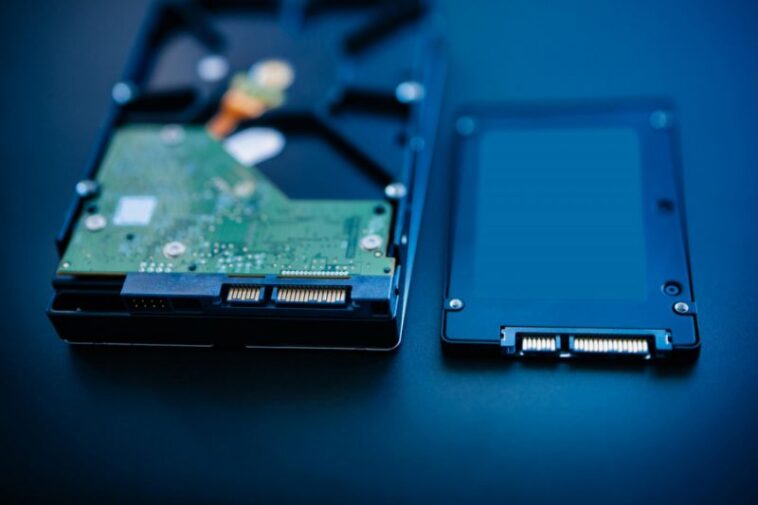
Unlike an SSD drive, an HDD hard drive consists of discs or turntables that are magnetically charged and divided into tracks and sectors. The hard drive has a read/write head that is driven by the rotating magnetic platter. In this way, the information to be stored on the plates is written by magnetization. The different magnetic sectors are also read with the read/write head.
One obvious difference between an SSD and an HDD is that the SSD is not made up of moving mechanical parts or rotating magnetic disks, and it does not have a read/write head either. The data is stored in semiconductor cells.
The biggest danger for an HDD hard drive is that the read / write head breaks due to mechanical factors, leading to total data loss. On the other hand, on SSD drives, although they are rated with excellence in terms of data security, when a disk of this type is defective, not even professional data restoration programs will be able to recover them.
SSD and HDD performance characteristics
Here are the most important performance characteristics that differentiate SSDs from HDDs :
The SSD hard drive has a general capacity between 256GB and 4TB, while the HDD has from 1TB to 10TB.
The SSD has a power consumption in operation between 0.5 and 5.8 W, while the HDD is from 6 W
The SSD has an overwrite capacity of up to 10,000 and the HDD is practically undefined
HDDs rely on turntables and therefore limit the size of the drive. SSDs do not have a physical limitation that prevents them from getting smaller, so they will continue to develop smaller drives over time.
SSDs are expensive, while HDDs are cheaper.
The SSD hard drive is silent as it lacks mechanical parts. In the case of the HDD, it has many parts that can emit noise and can be aggravated if the system has suffered some kind of malfunction.
The boot time of an SSD is seven seconds and that of an HDD is 16 seconds.
The SSD hard drive, in general, has a data transfer rate of between 200 and 550 MB / s. In the case of an HDD, the transfer is between 50 and 150 MB / s.
Did your PC mouse crash? Use your smartphone as a replacement As detailed by Xataka, a portal specialized in technology, for your smartphone to become a mouse it will be necessary to install an application called Remote Mouse that you can find for free in the Play Store and the App Store .
Later, you will have to download the version of Remote Mouse for Windows 10. Where is it located? Open any browser on your computer and in the address bar you should write the following: www.remotemouse.net .

 Geekybar


GIPHY App Key not set. Please check settings