


Today we will show you how you can create stickers in WhatsApp with the AI of iOS 16 on your iPhone and without any additional application.
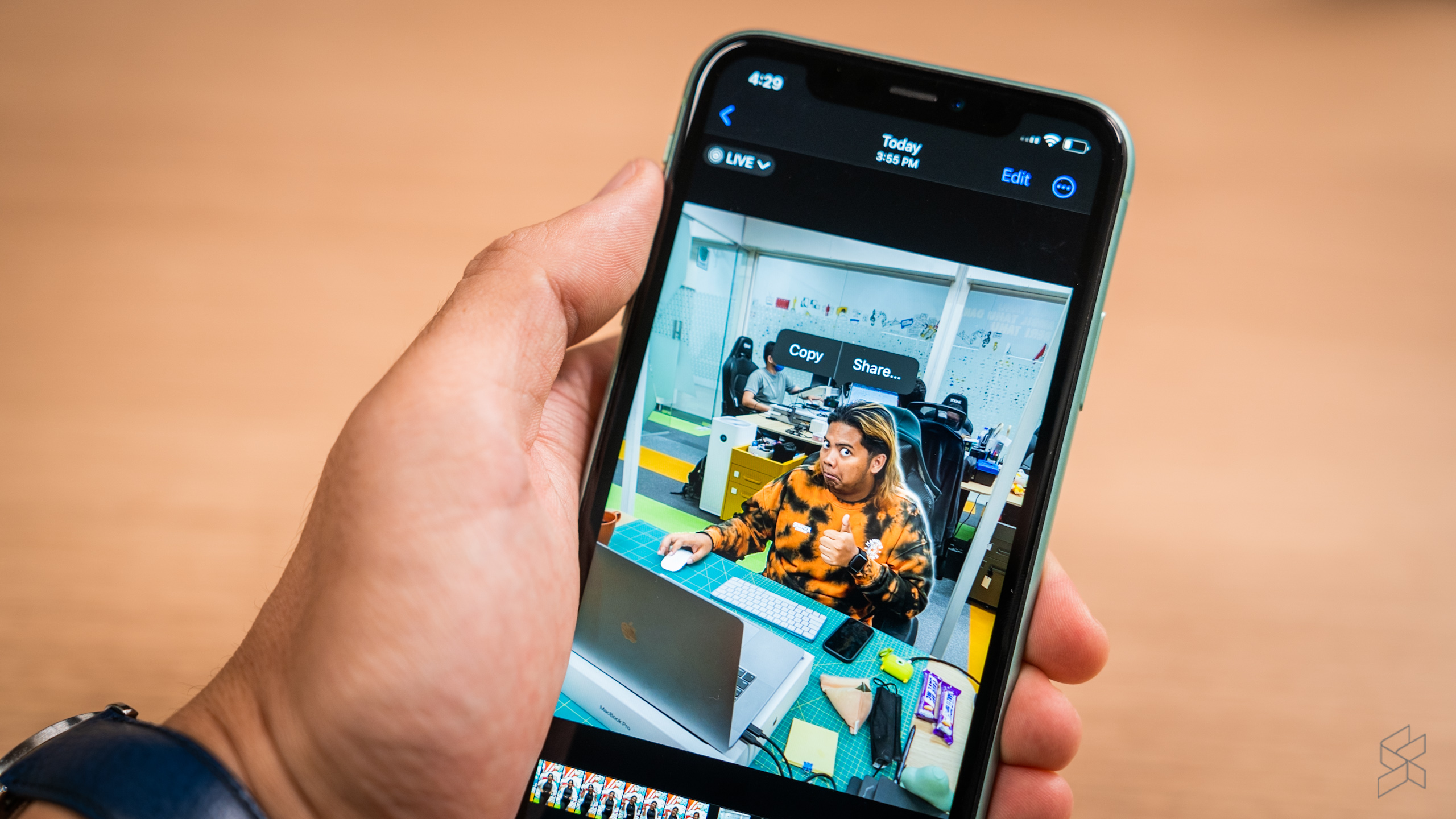
This artificial intelligence is what allows us to automatically copy and paste subjects from our photos , cutting out the background without us having to do anything else, so WhatsApp takes advantage of this function to create stickers effortlessly.

The mechanism to do this is simple, if you want to create a sticker from a photograph, all you have to do is save that photograph on your iPhone and then keep your finger pressed on the subject, you will see that said subject is highlighted (a visual effect will will indicate it).
https://www.instagram.com/reel/CqK8Rf_sJk2/?utm_source=ig_embed&ig_rid=8dc7b565-dc4a-47a6-a0d5-43445c17a254
In this way, without stopping to keep your finger pressed on that subject, you can change the application and open WhatsApp. You can drop that subject on top of a service conversation to be offered to convert it to a WhatsApp sticker.
It is important to mention that it seems that this feature is still rolling out to all users, so it is possible that doing this will result in not a sticker but an image with a white background.

So don’t worry if this happens to you, you haven’t done it wrong, your WhatsApp contact simply doesn’t have this function activated yet.
To speed up the process you can always look to have WhatsApp updated to the latest version, and of course using iOS 16 on your iPhone and earlier versions do not have the ability to crop subjects automatically.
The truth is that having stickers in our WhatsApp is not a vital need, however, it can always add some humor to our conversations.


One comment on “WhatsApp: How to create stickers with the AI of iOS 16 from your iPhone?”
Comments are closed.