HEADPHONE 1
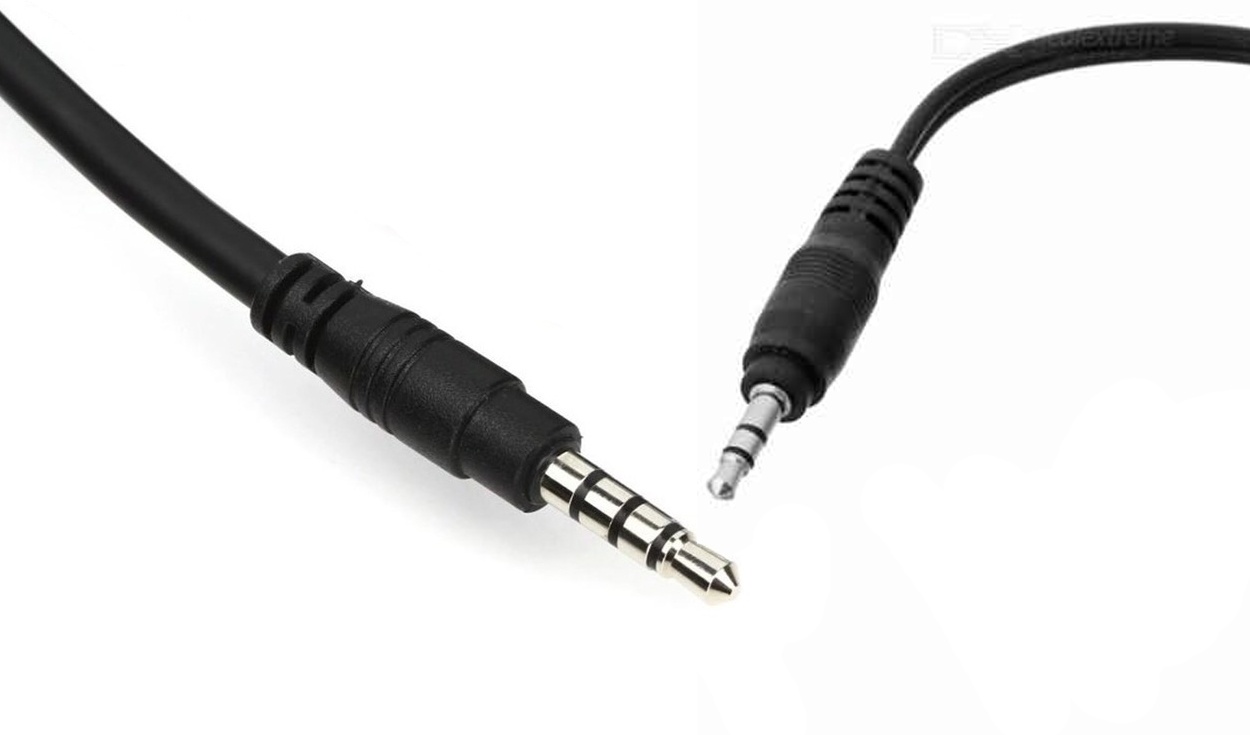
The audifonos traditional cable, ie those that connect to the jack port 3.5 mm from your smartphone, laptop, or another device, usually have 2 or 3 stripes on its connector. Although they are quite tiny, the truth is that these lines are very important for users, they even have a meaning that you should know before you try to buy a new headset. Do you want to know its usefulness? Here we are going to explain all the details.
According to Triplezona, a specialized technology portal, these stripes that you see on the headphone connector serve to separate the electrical plates that send or receive information in the form of electricity. Although there may be three, two, or one, only the two are predominant, as the last one is disappearing. What is its meaning? We will tell you.
1. If you have three lines
If the connector of your headphones has three stripes, that means they are stereo headphones with a microphone. The lines divide the connector into four electrical plates: Right Out, Left Out, Microphone In, and Ground.
2. If you have two lines
Unlike the previous ones, these do not have a microphone, but they are stereo headphones. Having only two stripes, they separate the connector into three parts: right outlet, left outlet, and ground.
3. If you have a streak
They are not stereo headphones, but mono. The line divides the connector into two electrical plates: audio and ground.
Headphone Adapters
Some computers, especially older ones, have two jack ports (one for a microphone and one for a headphone). In these cases, it is advisable to buy an adapter that joins both ports in one.
Running out of the internet on your cell phone can be very annoying, especially if you don’t have any application that allows you to kill boredom. Fortunately, all Android phones have hidden games for these cases. How to test them?
For a long time, Google Play Games (which comes pre-installed on most smartphones) includes simple but fun video games like Solitaire, Snake, Pacman, Crazy Jumps, Minesweeper, Hot Air Balloon, among others.
Some cell phone models come without this application installed by default. If your computer doesn’t have it, don’t worry, you just have to download it from the Play Store and keep it updated regularly since it usually adds games regularly.
If you have old cell phones that you no longer use, give them a new opportunity and turn them into a security tool. Next, we show you in simple steps how to turn an Android or iOS device into a home video surveillance camera.
To get started, you have to download a security camera app on your old and current smartphone. One of the best alternatives is Alfred Camera, which is freely available for both Android and iOS devices.
Currently, being connected to the Internet has become almost a necessity for most users around the world, so it is already a common practice to go to the home of a relative or friend, if possible, we ask for the password to access to Wi-Fi network.
However, although this task may seem simple, there are times that it can bring setbacks, either because we do not remember the Internet password, or we have to spell that long row of letters and numbers of the password several times after several unsuccessful attempts to write it correctly.
This post was last modified on November 9, 2021 4:39 pm
Creating a completely different series based on a universe that knows half the world can't… Read More
The strikes of scriptwriters and actors have put in check the constant flow of content to… Read More
Money Heist has returned to Netflix. This time as a prequel to the original series… Read More
One of the 50 best war films in cinema history turns 25 years old. And it is not… Read More
What is the singapore kiss In short, it is about emulating during intercourse, through the… Read More
Regarding patents, Sony is one of the technology companies that has carried out the most registrations in… Read More
