GMAP 2
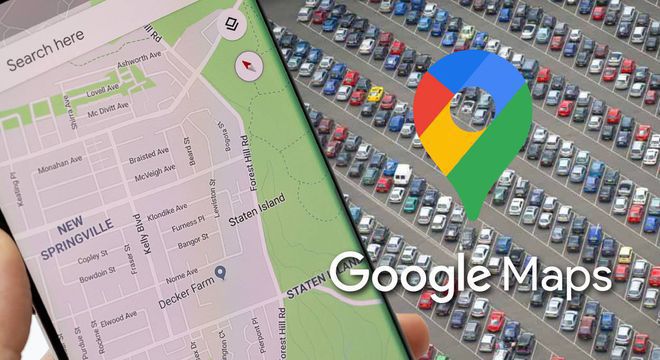
Although it is not as glamorous as some other applications, Google Maps is part of the lives of many users, especially those who move remotely every day. Either because you go to work by bicycle or you are always against time, this unique tool has almost everything to solve pedestrian and vehicular life: real-time traffic, route calculator, etc. Now, we will tell you about a trick that will further improve your passerby routine and even save you from a scare. We refer to the function of being able to find where you parked your car.
If you are the driver of a private car, and you have been doing it for a few years, you have probably gone through that unique experience of not knowing where you left your vehicle parked in a shopping center or a parking complex. It happens to all of us, and although we can resort to the alarm, sometimes we are so far away that this method is not an option.
Fortunately, everything can be easier nowadays thanks to technology, and precisely to the many new features that Google brings to its main applications (not only those of Workspace).
Maps is one of its most used applications and, like others, it also has many tricks and hacks available for everyday use. According to the Infobae portal, there is a method within the application to save us from that small cardiac arrest that occurs every time we do not remember where we left the car.
The first thing to do is make sure that our Google Maps app is up to date. You can do this by entering the Play Store or App Store and making sure you have the latest version (if not, an option to update will be enabled).
Once this is done, what remains is to follow these steps within the app itself:
When you have finished making your purchases or errands, you just have to enter Google Maps and navigate to Tagged. There you will see your created label and the exact location of your car will be shown to you.
This tip is a good idea for when you are visiting a place for the first time and it has a very large parking complex. In some places, the parking spaces are very similar and have many floors. Remember that you should always carry a receipt from the establishment with you and not leave it in the car. Also, if it involves many levels, you must remember which one your car is in, as the geolocation of Google Maps does not distinguish short heights.
This post was last modified on October 12, 2021 2:22 pm
The John Wick series has established itself as one of the few major action series today that… Read More
After binge-watching Shadow and Bone season 2, many viewers have been left with a million… Read More
The thought of Thor coming down from the heavens and saving us from catastrophes is… Read More
The action movie industry has been dominated by superhero franchises such as Marvel and DC… Read More
You might be disappointed when you watch Tiller Russell's latest documentary series, Waco: American Apocalypse,… Read More
The Pope’s Exorcist is a horror movie released in 2023 that’s based on the life… Read More

